


Tern Setups vs Regular Portable Monitors: Why the Stand, Display and Build Quality Matter
Portable monitors are often marketed as an easy way to add a second screen to your laptop. In principle, they all seem to offer the same thing: a slim display that fits inside your bag and connects to your computer.
In practice, the experience can vary considerably.
Many regular portable monitors focus almost entirely on the screen itself. They may provide extra display space, but they often rely on folding covers, limited kickstands or improvised supports that restrict where and how the monitor can be positioned.
Tern Setups takes a different approach.
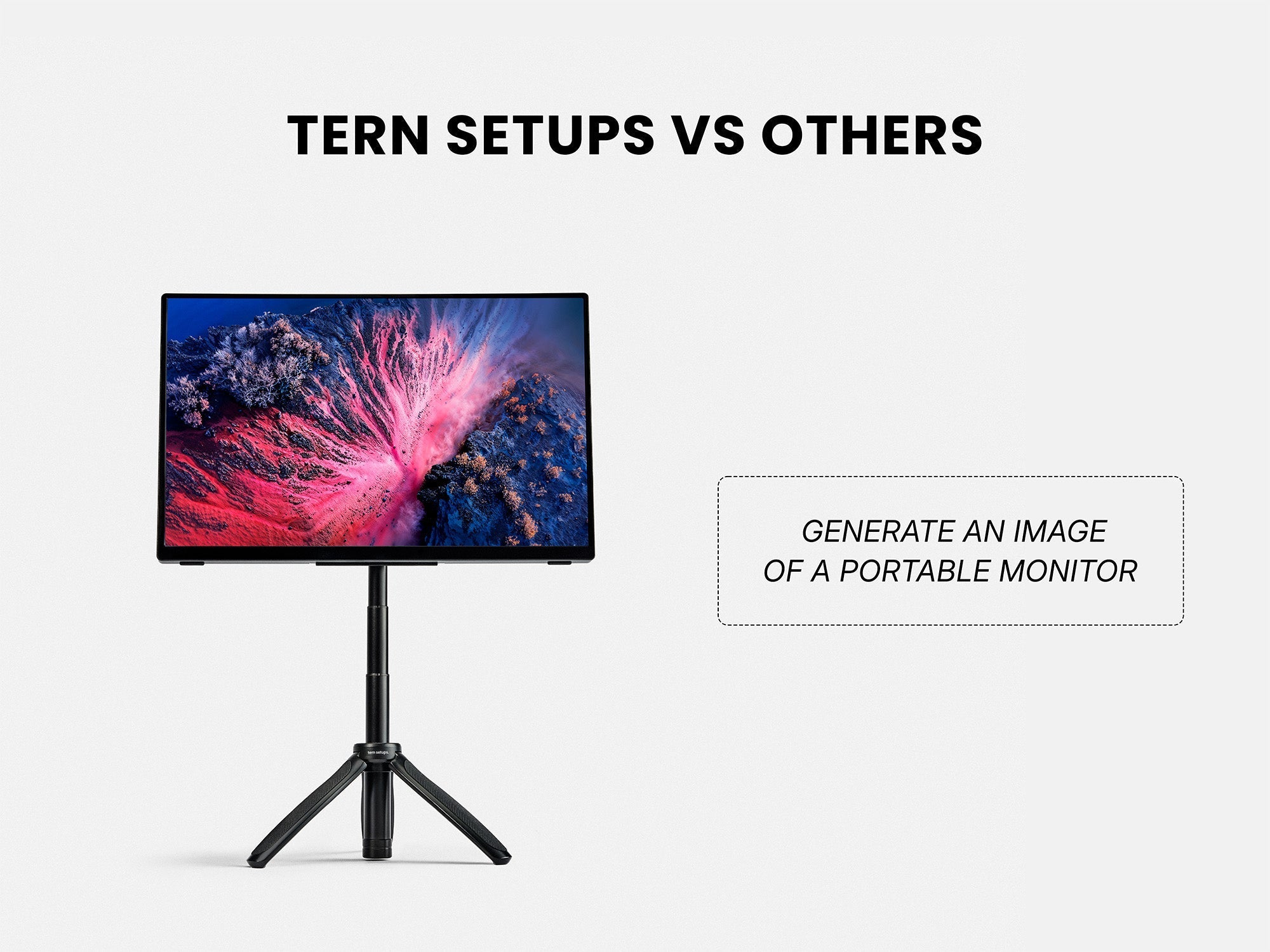
Instead of treating the stand as an afterthought, Tern Setups combines a premium portable monitor with an innovative, purpose-built portable monitor stand. The result is a more complete workstation with better positioning, higher-quality display options and a finish designed to match modern premium laptops.

1. Most Portable Monitors Only Solve Half the Problem
Adding a second screen can make it easier to compare documents, manage communication, monitor data or work across several applications. However, simply having another display does not automatically create a comfortable workstation.
A regular portable monitor is commonly supported by one of the following:
- A folding protective cover
- A small built-in kickstand
- A fixed-angle support
- A separate tablet stand
- A stack of books or another improvised solution
These options may keep the display upright, but they usually provide limited control over its height, angle and orientation.
That limitation becomes increasingly noticeable when the monitor is used for several hours rather than occasionally. A display that sits too low, too far back or at an awkward angle can make a portable workspace feel temporary and compromised.
The Tern Setups portable monitor system was developed around a simple idea: the way a monitor is positioned matters just as much as the monitor itself.
2. An Innovative Portable Monitor Stand
The Tern Stand is one of the main differences between Tern Setups and a regular portable monitor.
Rather than depending on a folding case, the monitor connects to a compact stand designed specifically for portable displays. This allows the screen to be placed in a more natural position beside a laptop.
The stand gives users greater control over how their second monitor is arranged. Depending on the workspace and monitor model, the display can be positioned to complement the laptop rather than simply leaning backwards on the desk.
This matters for several reasons.
A cleaner dual-screen arrangement
A conventional kickstand places the portable monitor directly on the desk. Because the screen starts at desk level, it may not align naturally with the display of a laptop.
The Tern Stand raises the monitor and makes it easier to create a more balanced dual-screen layout. This helps the portable monitor feel like part of the workstation rather than an accessory placed next to it.
More usable desk space
Folding covers and wide stands can take up a surprising amount of space behind the screen. That can be inconvenient on smaller desks, café tables, shared workspaces or compact home-office setups.
The Tern Stand uses a compact footprint, leaving more room for a laptop, keyboard, notebook and other essentials.
A stand designed for the monitor
Many universal tablet and monitor stands are bulky, heavy or designed for stationary use. Others are light enough to carry but lack the stability required for a larger portable display.
Tern Setups combines the monitor and stand as one system. Each part is intended to work with the other, creating a setup that is both portable and practical for regular use.

3. Premium 4K and OLED Display Options
The stand improves how the monitor is used, but display quality remains equally important.
Tern Setups offers premium display options, including 4K portable monitors and OLED portable monitors, for customers who want more than a basic secondary screen.
These options serve different priorities.
4K portable monitors for clarity and workspace
A 4K portable monitor provides a high pixel density within a compact display. Text, interface elements and detailed images can appear sharper than they do on lower-resolution portable screens.
This makes a 4K portable monitor particularly useful for:
- Detailed spreadsheets
- High-resolution photography
- Video editing timelines
- Design applications
- Coding and text-heavy work
- Reviewing multiple windows and documents
The additional resolution can also help the portable display match the visual quality of a premium laptop. This is important because moving between a sharp laptop screen and a noticeably lower-quality second monitor can feel distracting.
With a Tern Setups 4K portable monitor, the second screen is intended to complement a modern laptop rather than reduce the overall quality of the workstation.

4. OLED portable monitors for contrast and colour
OLED display technology gives every pixel its own light source. This allows black areas of an image to appear genuinely dark, creating strong contrast and a visually rich viewing experience.
An OLED portable monitor can be especially attractive for:
- Photo and video work
- Creative applications
- Presentations
- Entertainment
- Customers who value deep blacks and vivid image quality
Compared with many standard portable monitor panels, OLED can make images appear more immediate and engaging. Dark scenes can retain greater depth, while bright elements stand out more clearly against black backgrounds.
For someone who already uses an OLED laptop or premium desktop display, an OLED portable monitor can also provide a more consistent experience across both screens.

5. A Premium Aluminium Finish
Display specifications are only one part of the experience. The materials surrounding the display also affect how the product looks, feels and holds up during regular use.
Many inexpensive portable monitors use large amounts of plastic to reduce manufacturing costs. Although this can make the monitor lighter, it may also result in a product that feels less substantial beside a premium laptop.
Tern Setups portable monitors use a premium aluminium frame, giving the monitor a cleaner and more refined finish.
The aluminium construction provides several benefits:
A more professional appearance
Portable monitors are frequently used in client meetings, shared offices and other professional environments. A well-finished aluminium frame creates a more considered appearance than thick, glossy or flexible plastic housings.
A better match for premium laptops
Modern laptops increasingly use aluminium and other high-quality materials. A portable monitor with a similar finish feels like a natural extension of the laptop rather than an unrelated third-party accessory.
Greater structural rigidity
A rigid frame helps the monitor maintain its shape and creates a more solid feel when it is being positioned, connected or packed away.
The objective is not to add unnecessary decoration. It is to create a portable monitor that feels carefully engineered from the display panel to the outer frame.

6. Who Is Tern Setups For?
A basic portable monitor may be enough for someone who only needs an occasional extra screen and is comfortable using a folding cover.
Tern Setups is intended for people who expect more from a portable workstation.
It is particularly suited to professionals who regularly work away from a permanent desk, including developers, designers, analysts, traders, founders, consultants and remote teams.
It is also a strong option for anyone who has invested in a high-quality laptop and does not want their second monitor to feel like a significant visual or physical downgrade.
The combination of a premium display, aluminium construction and purpose-built portable monitor stand makes Tern Setups suitable for users who care about both performance and design.

7. A Better Portable Monitor Experience
Regular portable monitors provide extra screen space, but many still depend on compromises that have existed since the category first became popular.
The display sits too low. The folding cover offers only a few usable angles. The materials feel noticeably less refined than the laptop beside it. The screen provides more space, but the overall workstation still feels temporary.
Tern Setups improves the experience by addressing the complete setup rather than only the display.
The innovative Tern Stand provides a more practical way to position the monitor. Premium 4K and OLED panels deliver the image quality expected from modern high-end devices. The aluminium frame gives the product a professional finish that feels appropriate beside a premium laptop.
For people who use a portable second monitor regularly, these differences are not minor details. They determine whether the screen is simply another item in the bag or a genuine part of a productive workstation.
| Feature | Regular portable monitor | Tern Setups portable monitor |
|---|---|---|
| Stand | Folding cover or basic kickstand | Purpose-built compact Tern Stand |
| Screen position | Usually sits directly on the desk | Can be raised and positioned beside a laptop |
| Viewing angles | Often limited by the cover or kickstand | More control over monitor placement |
| Display options | Commonly basic Full HD panels | Premium 4K and OLED options |
| Construction | Often predominantly plastic | Premium aluminium frame |
| Desk footprint | Cover may require space behind the display | Compact stand footprint |
| Overall experience | Portable screen sold as an individual accessory | Complete portable workstation system |
Share:
The Three Most Important Features in a Portable Monitor (and Why They Matter)